
SSDT identifies missing database objects.
Yes! In a database with many objects, identifying views, stored procedures, and functions that point to a non-existent column, table, or another object throws an error – the project will not build nor publish. You are protected from dropping an object that is referenced by another.
We will force a compile error when creating an object; the error is also thrown when a referenced object is removed from the project.
Lets wee how this works.. and we’ll keep it short minimizing distractions:
Create Object (With Error)
- Create a folder in stg named Views
- Right click the folder Views
- Select Add
- Select View…
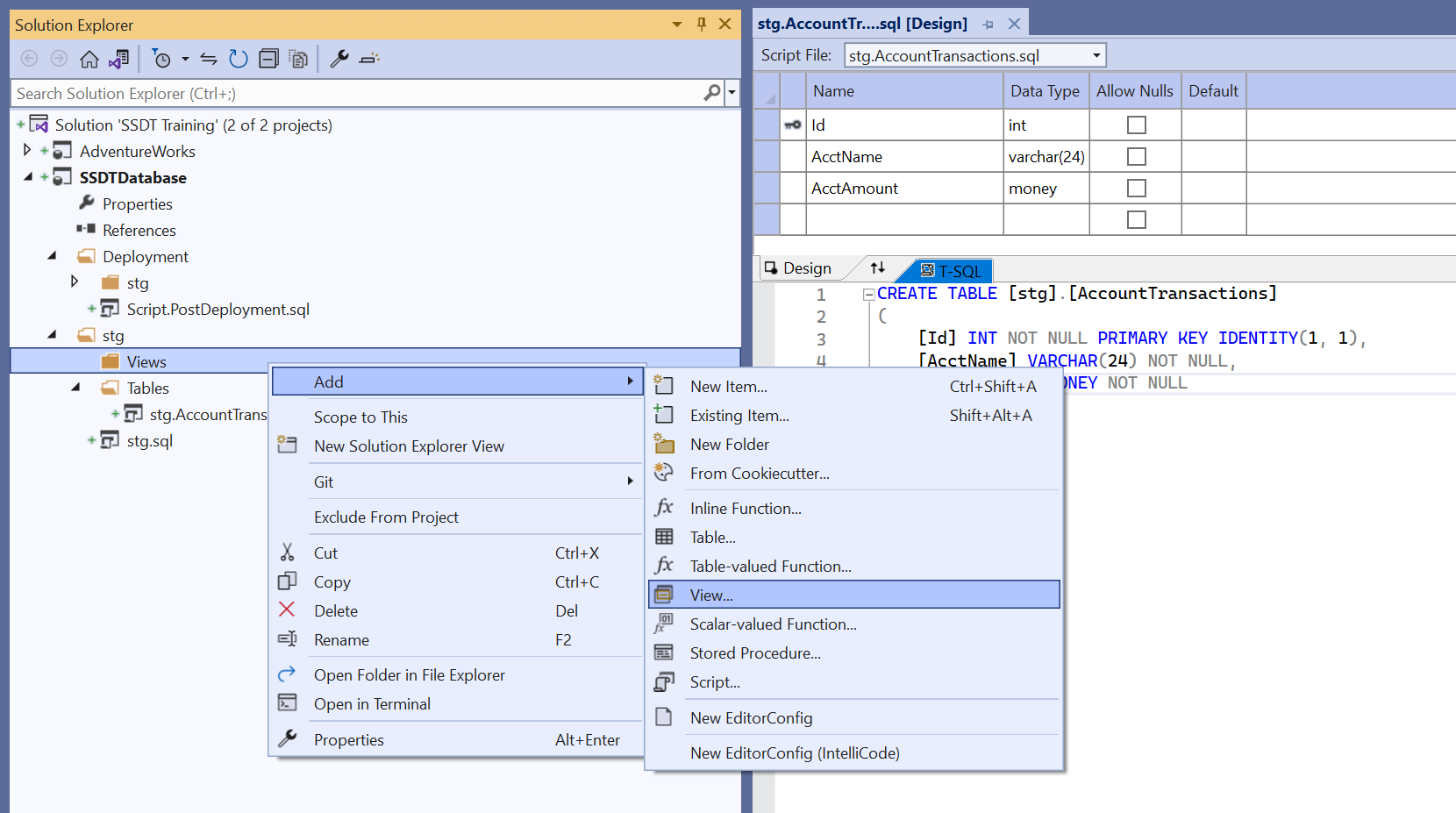
- Name the view stg.AccountTransaction_Limit
- Click Add
- Notice the schema is included and the name elements are qualified with brackets
- Edit the CREATE VIEW script by referencing columns from the [stg].[AccountTransaction]
- For best practice, use a table alias
- Oh Look IntelliSense
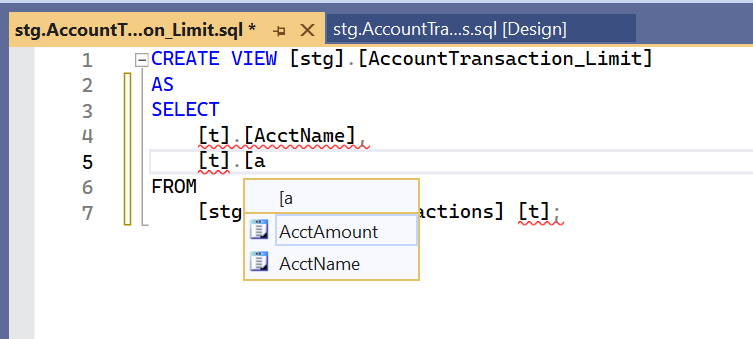
- Now add a non-existent column [t].[IdTransaciton]
- Notice the red underlining – an error
CREATE VIEW [stg].[AccountTransaction_Limit]
AS
SELECT
	[t].[AcctName],
	[t].[AcctAmount],
	[t].[IdTransaction]
FROM
	[stg].[AccountTransactions]	[t];
Review Error List
Visual Studio’s Error List shows more information about the errors found in the project and solution.
- Navigate the menu and click View > Error List
- SSDT tells us the error(s):
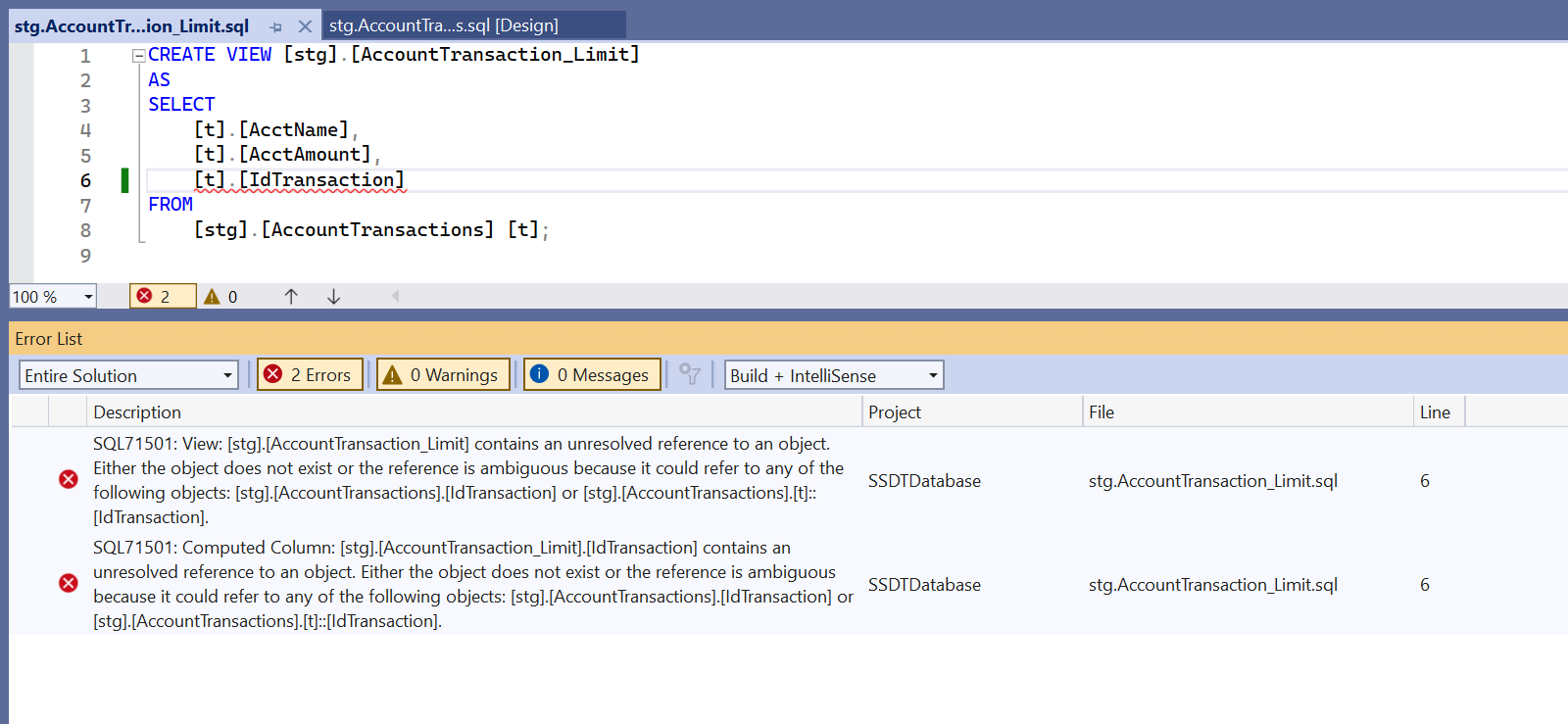
- This is great, because the Error List enumerates the errors in the project and solution
- Test this by saving and closing the edited view
 Rogge Heflin